Simple IR proximity sensor with Arduino

 by ricardouvina
Featured
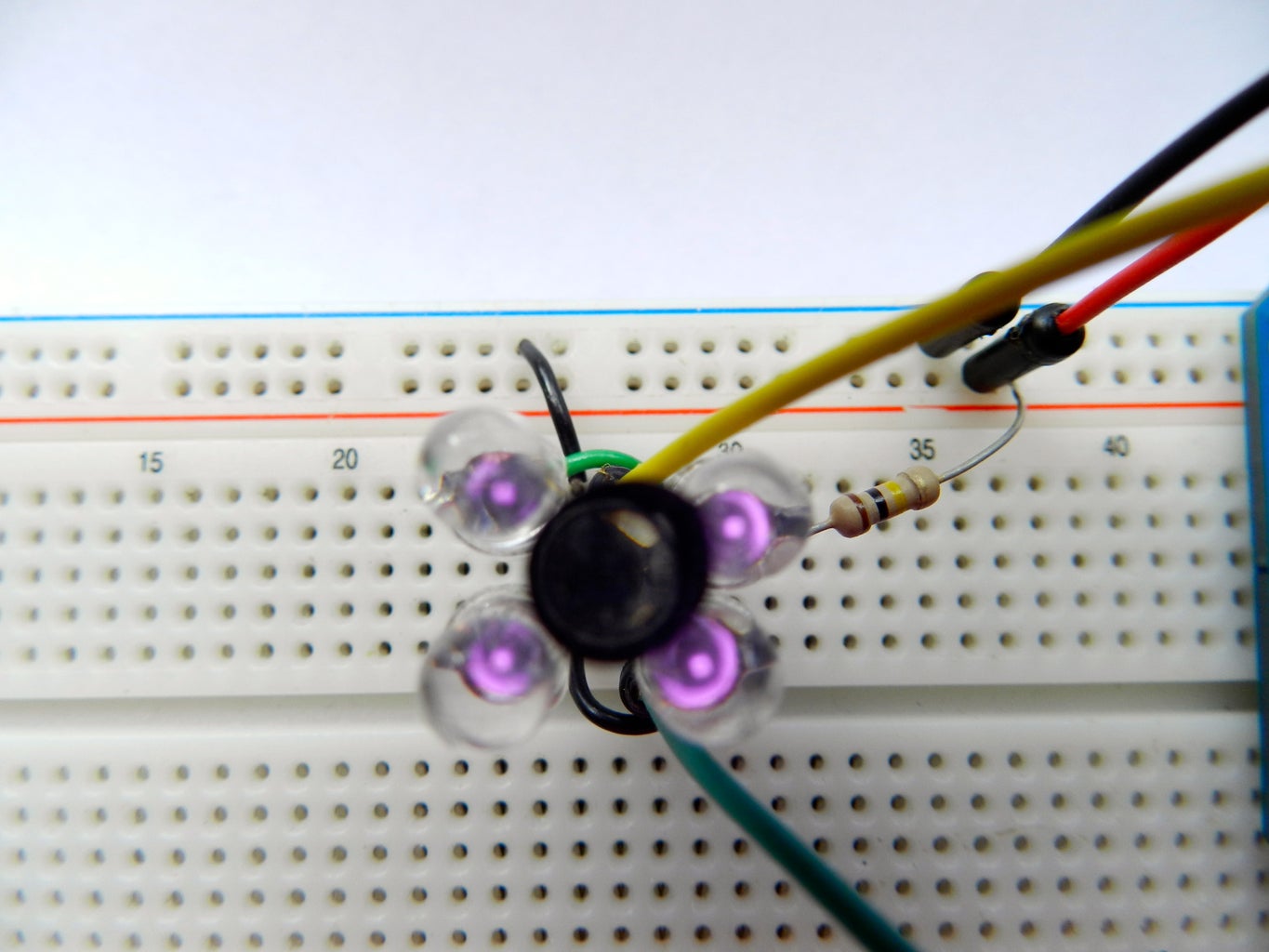
Hello guys! In this instructable I'll teach you how to make a very simple proximity sensor using infrared LEDs and Arduino.
After several times trying to optimize it, I finally came up with something that is quite simple e precise. Just like my first instructable, this project is perfect for beginners in the arduino's world, with a few components anyone can make it. I hope you all enjoy it.

Step 1: Materials
DSCN2308.JPG
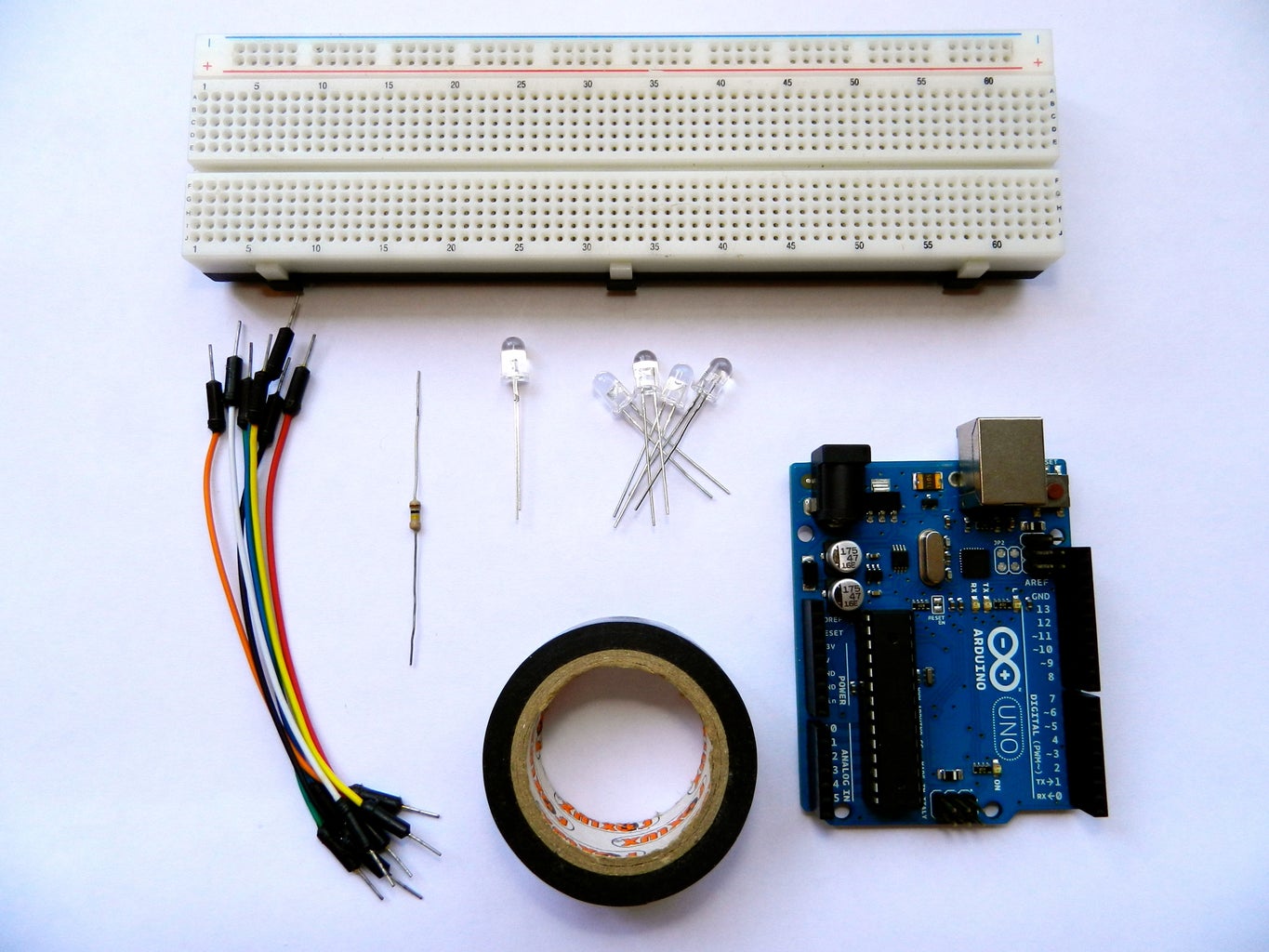
For this instructable you are gonna need:
- Arduino
- 1 IR LED receiver (photodiode with 2 pins, not the phototransistor with 3 pins)
- IR LED emitters (as much as you can get, but at least 2)
- 100K resistor (brown black yellow)
- Jumper wires
- Breadboard
- Electrical tape
- Buzzer(optional)

Be careful to don't mix up the LED receiver with the LED emitter, they all look the same.
 

Step 2: Preparing the sensor

DSCN2310.JPG
DSCN2312.JPG
DSCN2318.JPG
DSCN2324.JPG
DSCN2330.JPG
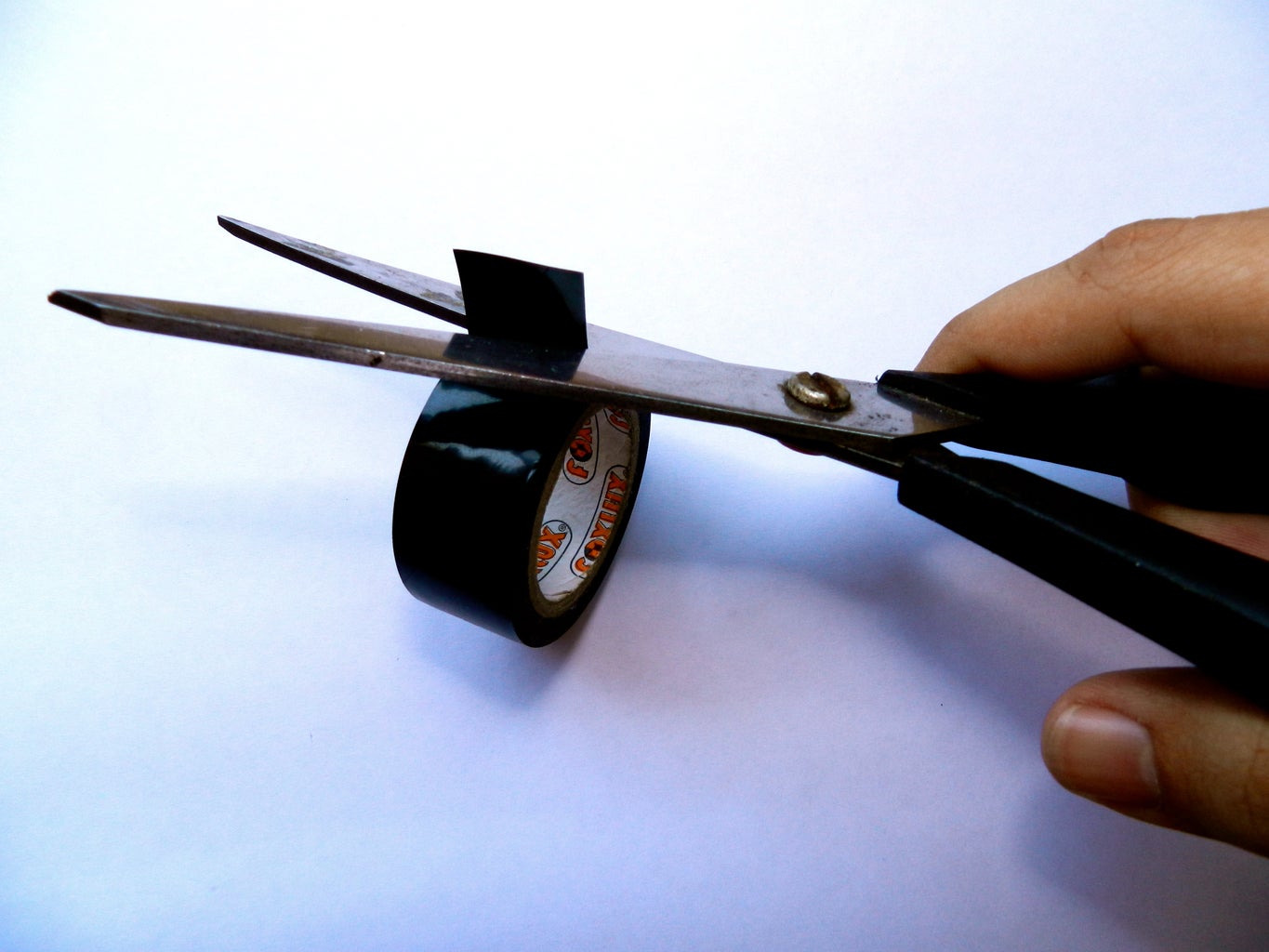
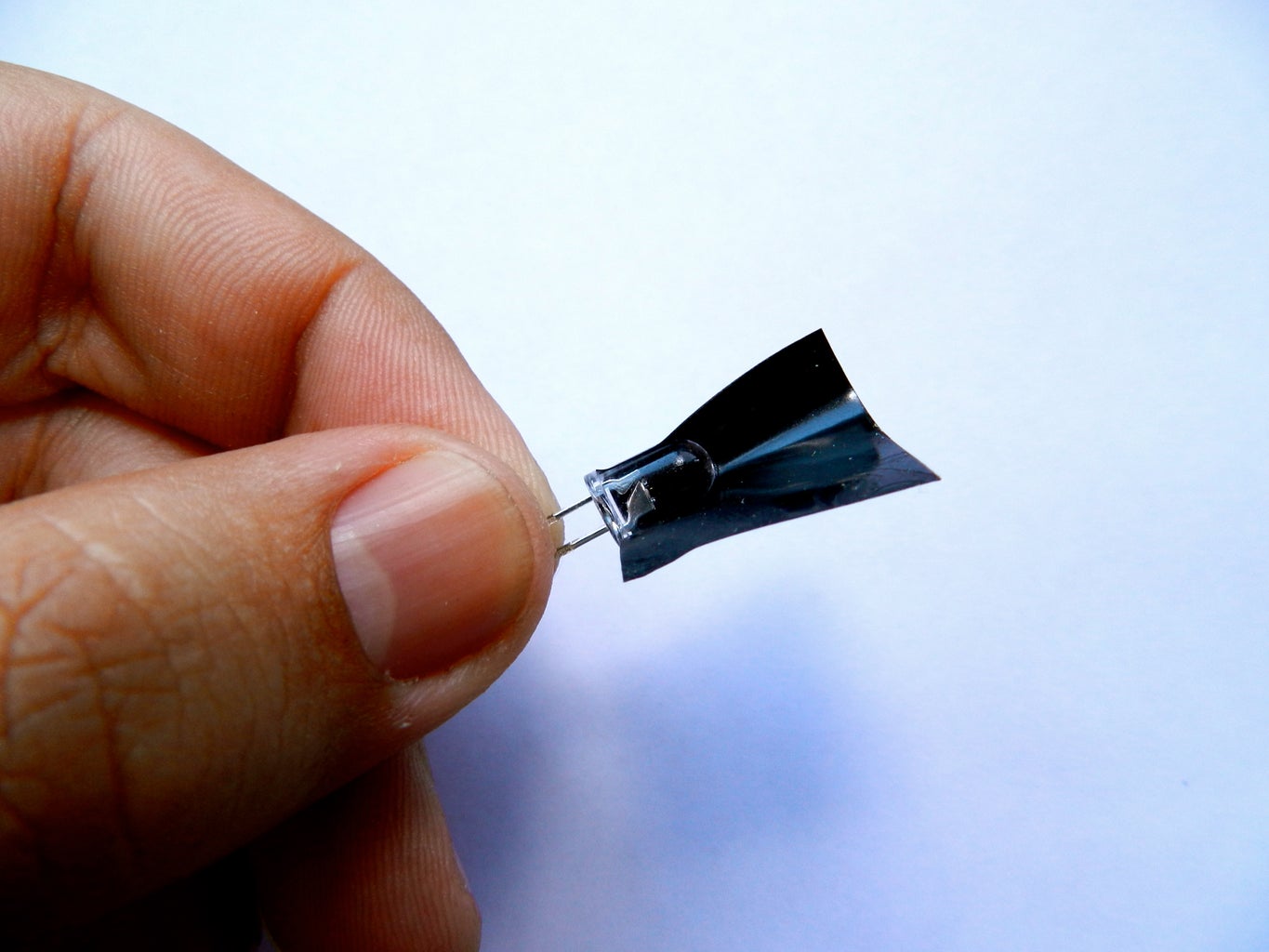
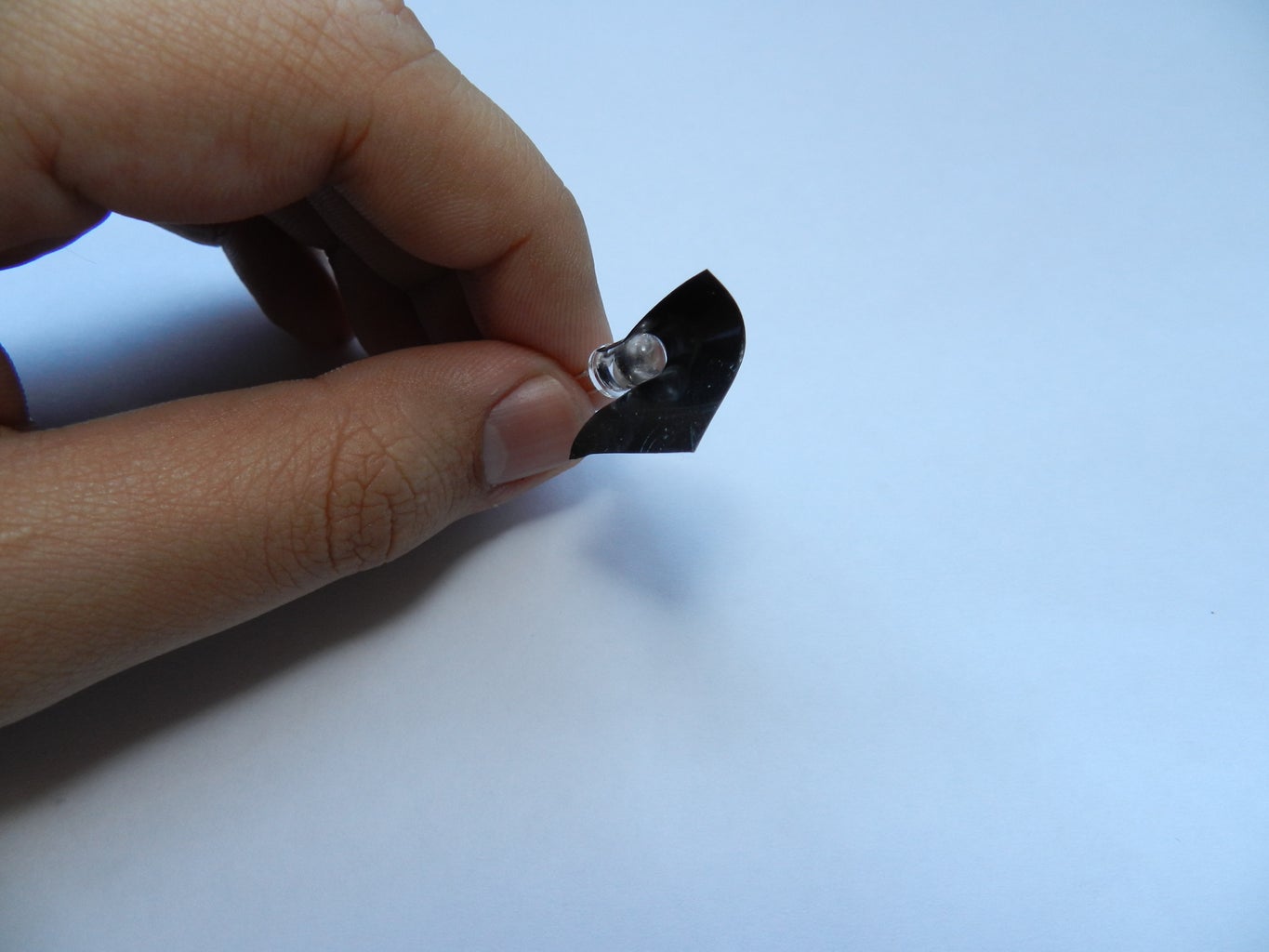
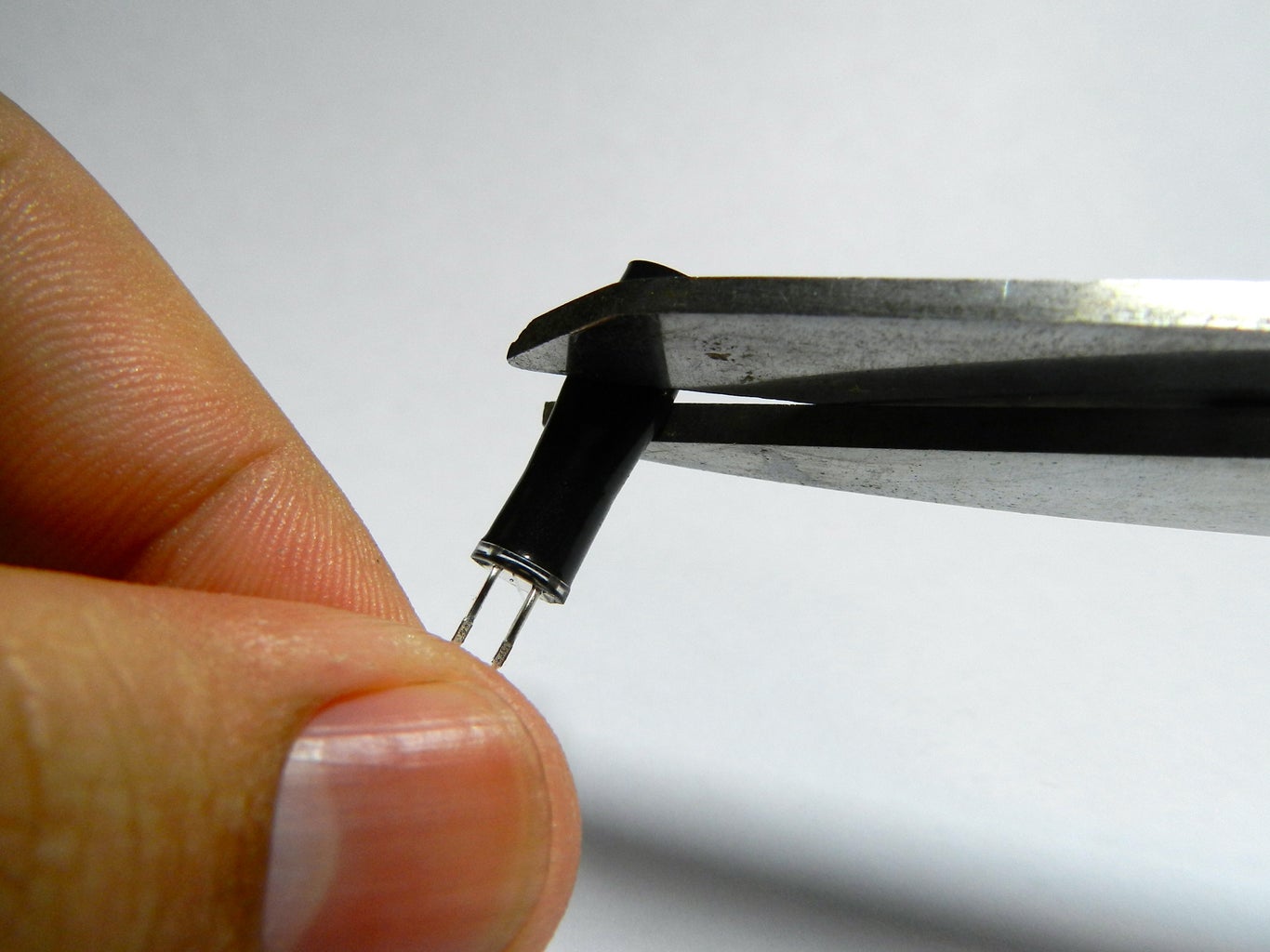
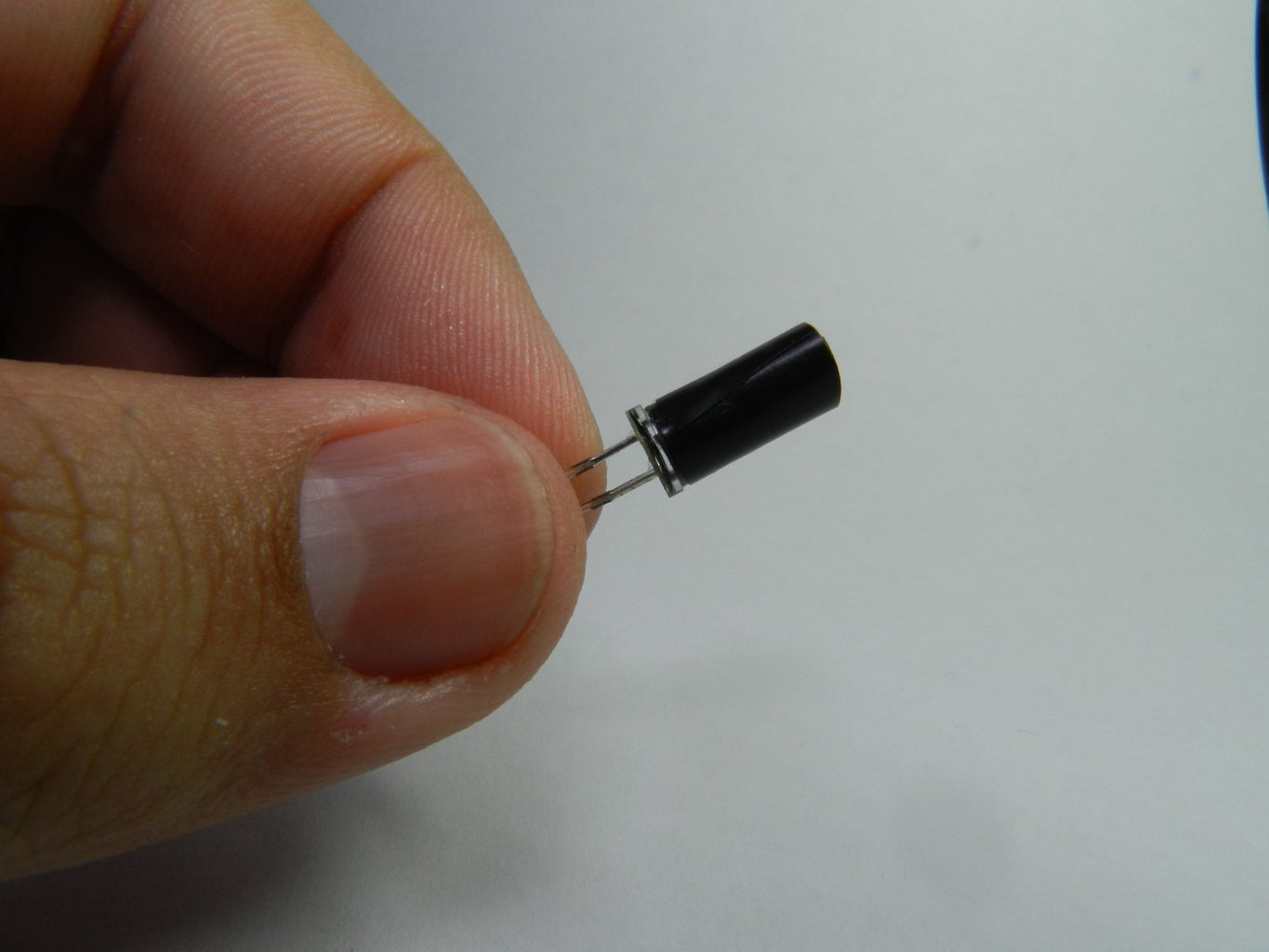
Before mount it, we should prepare the IR LED receiver to don't receive light from the sides, so than the sensor is more directional.
I use electrical tape to make it, but you can use a straw or anything that blocks the light from the sides.
Cut a small piece of electrical tape and wrap it around the IR LED receiver, forming a tube. Trim the edge with a pair of scissors until it's about 1cm long.
Have a look at images to see how I made it with electrical tape.

Step 3: Code time!

images.jpeg
Write the code above on the Arduino program and upload it to the Arduino.
I also added an buzzer to this project if you wanna "hear" the distance.

// Simple Proximity Sensor using Infrared
// Description: Measure the distance to an obstacle using infrared light emitted by IR LED and
//   read the value with a IR photodiode. The accuracy is not perfect, but works great
//   with minor projects.
// Author: Ricardo Ouvina
// Date: 01/10/2012
// Version: 1.0

int IRpin = A0;               // IR photodiode on analog pin A0
int IRemitter = 2;            // IR emitter LED on digital pin 2
int ambientIR;                // variable to store the IR coming from the ambient
int obstacleIR;               // variable to store the IR coming from the object
int value[10];                // variable to store the IR values
int distance;                 // variable that will tell if there is an obstacle or not

void setup(){
  Serial.begin(9600);         // initializing Serial monitor
  pinMode(IRemitter,OUTPUT);  // IR emitter LED on digital pin 2
  digitalWrite(IRemitter,LOW);// setup IR LED as off
  pinMode(11,OUTPUT);         // buzzer in digital pin 11
}

void loop(){
  distance = readIR(5);       // calling the function that will read the distance and passing the "accuracy" to it
  Serial.println(distance);   // writing the read value on Serial monitor
  // buzzer();                // uncomment to activate the buzzer function
}

int readIR(int times){
  for(int x=0;x<times;x++){     
    digitalWrite(IRemitter,LOW);           // turning the IR LEDs off to read the IR coming from the ambient
    delay(1);                                             // minimum delay necessary to read values
    ambientIR = analogRead(IRpin);  // storing IR coming from the ambient
    digitalWrite(IRemitter,HIGH);          // turning the IR LEDs on to read the IR coming from the obstacle
    delay(1);                                             // minimum delay necessary to read values
    obstacleIR = analogRead(IRpin);  // storing IR coming from the obstacle
    value[x] = ambientIR-obstacleIR;   // calculating changes in IR values and storing it for future average
  }
 
  for(int x=0;x<times;x++){        // calculating the average based on the "accuracy"
    distance+=value[x];
  }
  return(distance/times);            // return the final value
}


//-- Function to sound a buzzer for audible measurements --//
void buzzer(){
  if (distance>1){
    if(distance>100){ // continuous sound if the obstacle is too close
      digitalWrite(11,HIGH);
    }
    else{  // beeps faster when an obstacle approaches
      digitalWrite(11,HIGH);
      delay(150-distance);  // adjust this value for your convenience
      digitalWrite(11,LOW);
      delay(150-distance);  // adjust this value for your convenience
    }
  }
  else{  // off if there is no obstacle
    digitalWrite(11,LOW);
  }
}

Of course you can edit it to fit in your own project. You can for example make a robot change direction or velocity based on the distance read from the IR sensor.

Step 4: Connect it up.

fritzing_IR_prox.jpg
arduino sketch_Esquem��tico.jpg
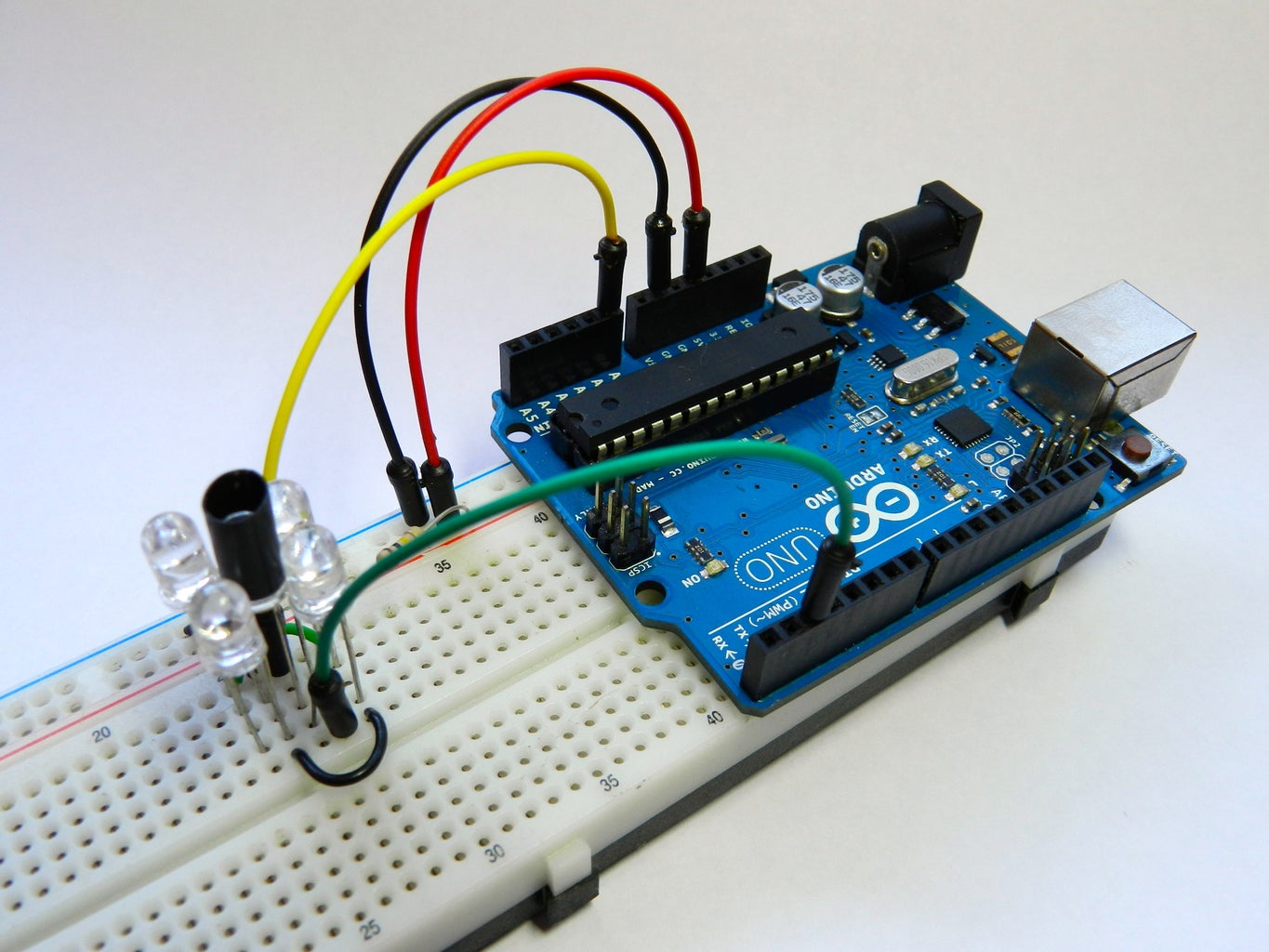
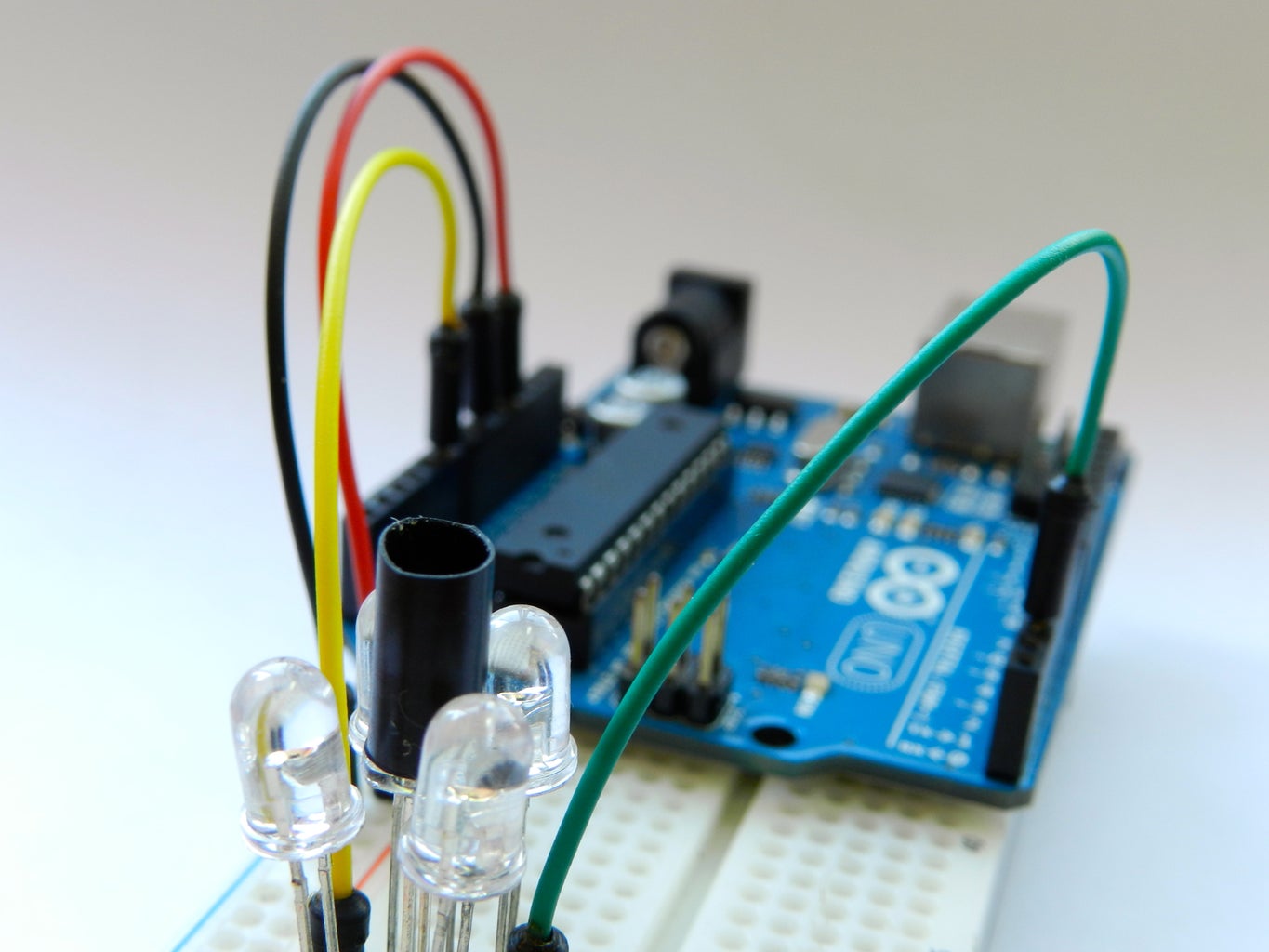
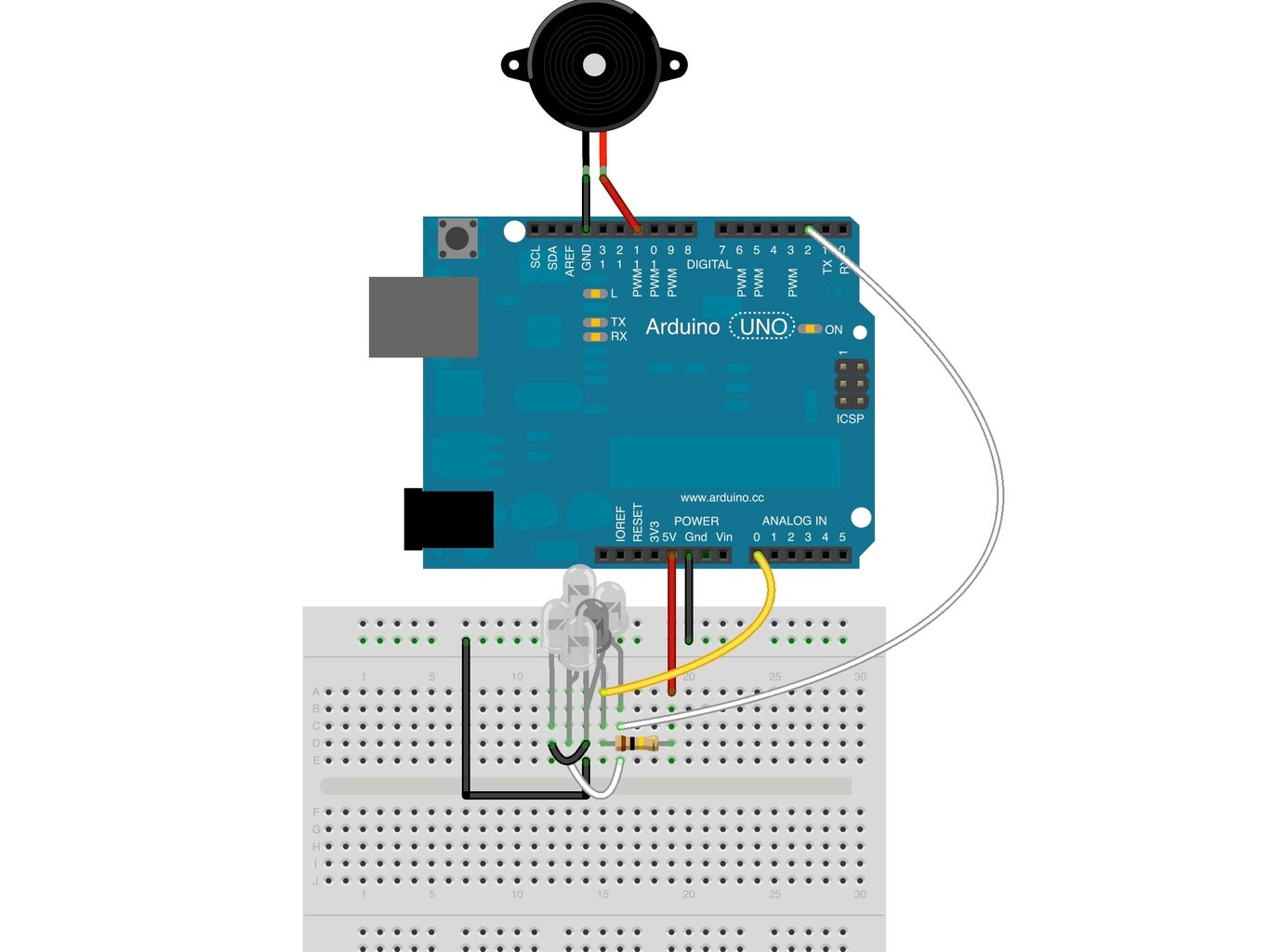
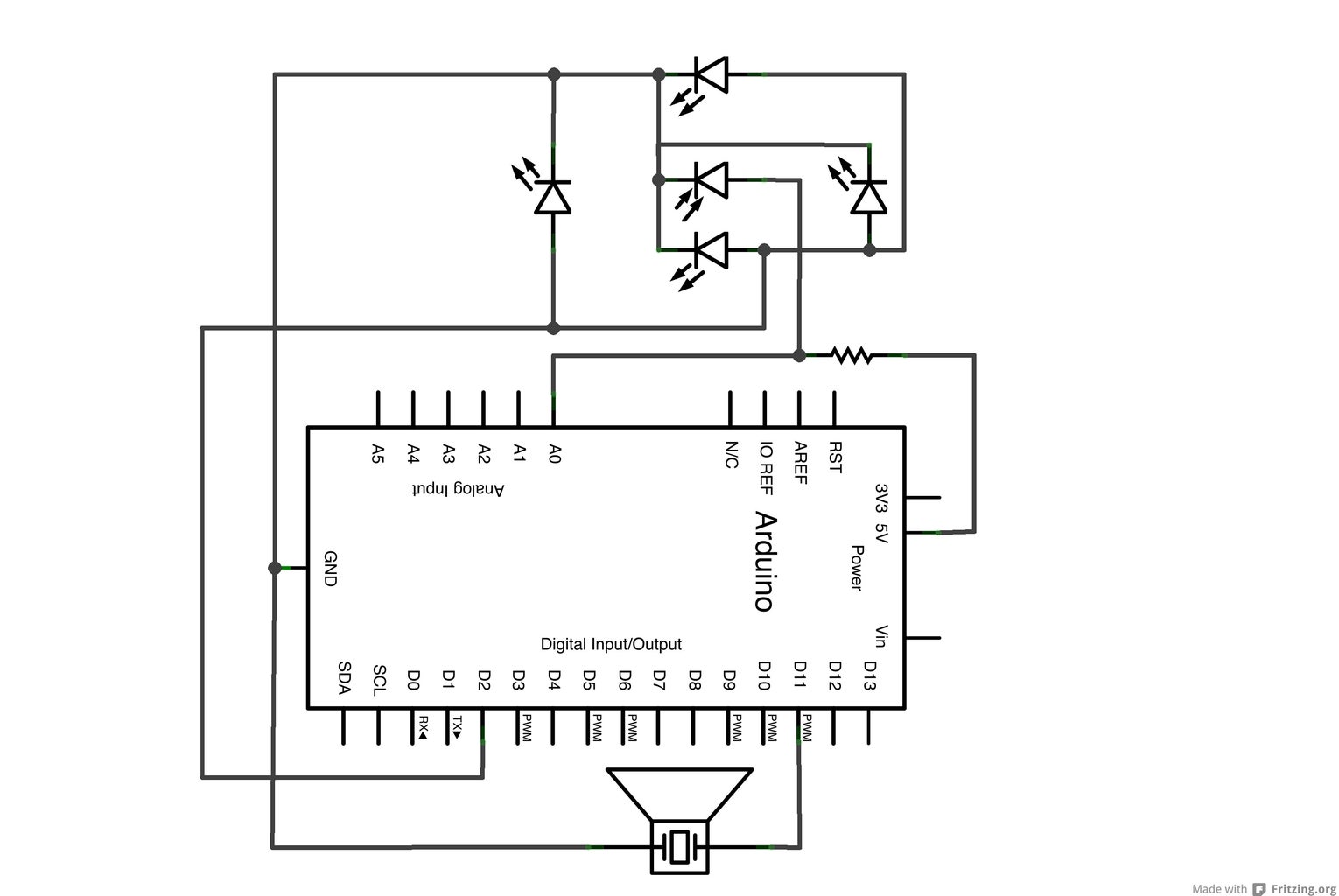
Connect the resistor from the 5V pin to the anode pin of the IR LED receiver. All the anodes pins of the IR LEDs emitters to the digital pin 2. A wire goes from the analog pin 0 to the anode pin of IR LED receiver. Don't forget to connect all the cathode pins of the LEDs to the ground pin.
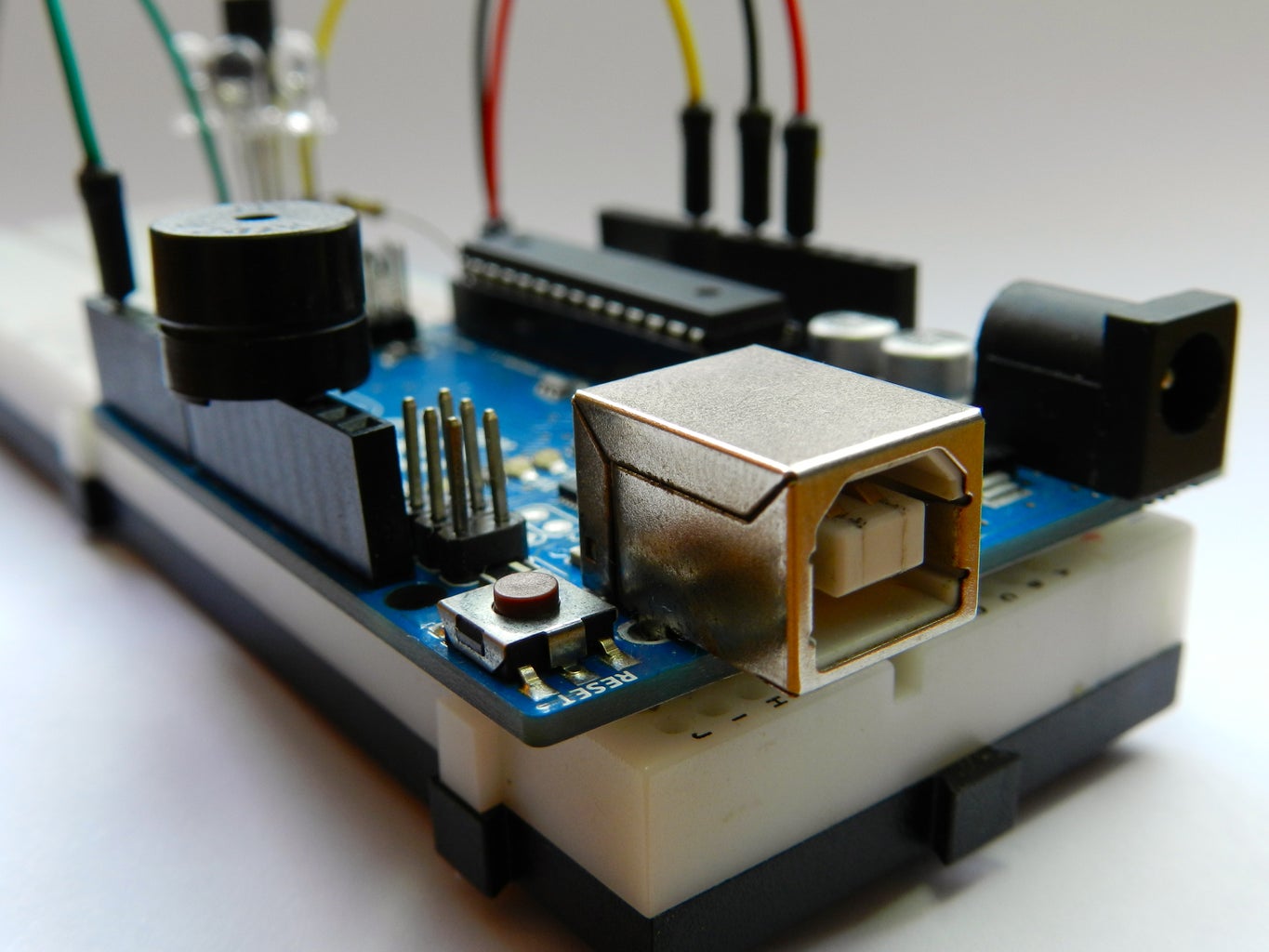
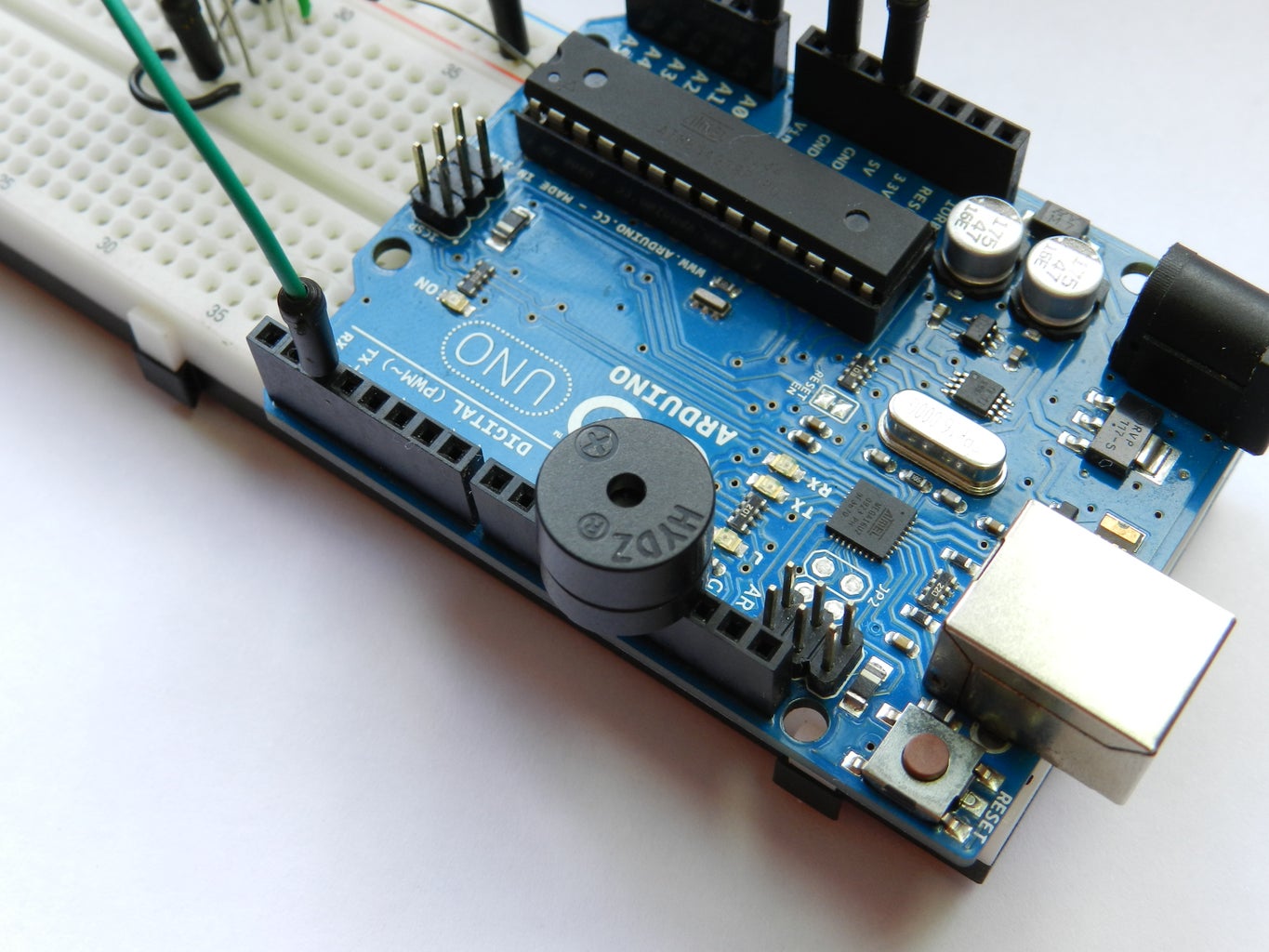
The buzzer is optional, but if you are using it connect to the digital pin 11 and the ground.
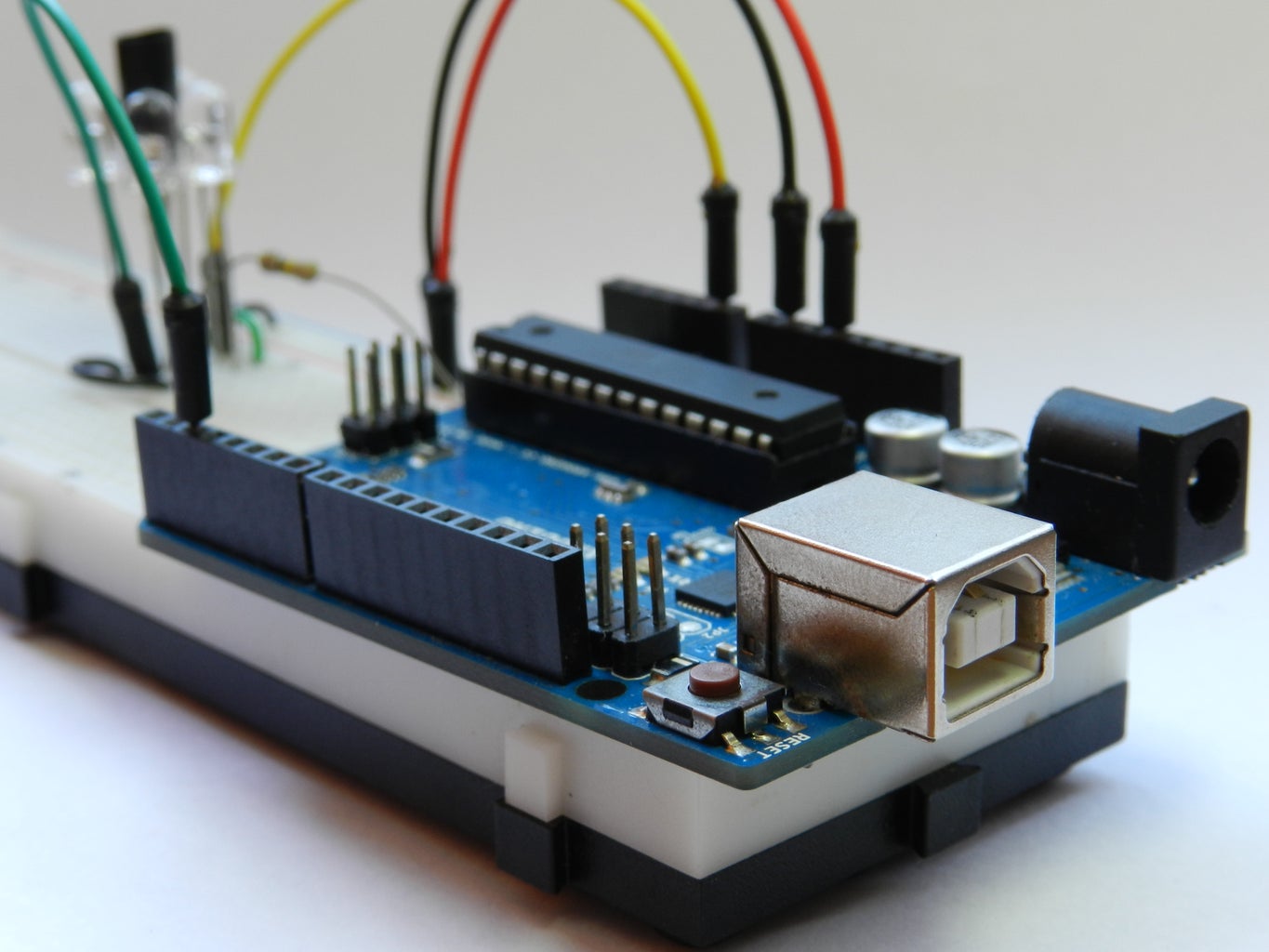
Infrared light isn't visible to naked eye, but you can see it thru a digital camera, it helps to see if the LED is working or not.
Take a look at the pics.

Step 5: It's done!

The sensor responds to 10 inches (25cm) or closer, so it's good for small distances.
Feel free to modify this project to your way, and tell me your progress. Comments are welcome.
Here is a video I've made.

1-40 of 66Next »
us241098 says: Jun 7, 2013. 5:58 AM
Hiii!! I cant find photodiodes can I use 3pin receivers??? If yes what are the changes I have to do ? Thanks
ricardouvina (author) in reply to us241098Jun 9, 2013. 5:05 AM
Hi! You probably can, but I don't know how to adapt it to work, and I prefer photodiodes because they are way cheaper.
tobidlb93 says: Jun 4, 2013. 2:59 PM
Does it only work with arduino UNO?
ricardouvina (author) in reply to tobidlb93Jun 9, 2013. 5:02 AM
No, it should work with any arduino.
jrešetar says: May 2, 2013. 1:10 PM
Hi,
please somebody help me.
I have done everything as shown but it does not work. I did not connect buzzer (I do not need it). I opened Serial monitor and got something like this: "?&7!" and then nothing.
I the type of LEDs matters (I do not what type I have- ordered from ebay).
Any advise?
Thank you.
ricardouvina (author) in reply to jrešetarMay 12, 2013. 11:26 AM
Be sure that your serial monitor is set to 9600.
vinoth kumar reddy says: May 3, 2013. 12:42 AM
sir

will u teach me how to count the rpm using IR sensors.
brians6067 says: Apr 22, 2013. 6:14 PM
hello i was just wondering if it is possible to have instead of a buzzer, a group of LEDs ?
ricardouvina (author) in reply to brians6067Apr 24, 2013. 3:08 PM
I think it is possible, although not necessary, as you can deactivate that function.
brians6067 in reply to ricardouvinaApr 25, 2013. 4:54 AM
well what i wanted to do was, have a group of LEDS light up when a persons hand comes close, because i want to build it into a table top for my university major project, something like an interactive table, all your helpwould be much appreciated
ricardouvina (author) in reply to brians6067Apr 25, 2013. 3:29 PM
What you can do is establish a threshold for the distance and use a "if" condition, something like this:
if(distance>threshold){ //It's greater-than because the "distance" value gets higher when the object is closer
digitalWrite(LEDpin, HIGH);
} else {
digitalWrite(LEDpin, LOW);
}

I hope it helps!
flowflake says: Mar 31, 2013. 6:55 PM
hi , that is a good job! and I'm trying to do it. I know IR LED receiver will measure the distance,but what are the 4 IR LED emitters use for? I use the webside to get the LED - Infrared 950nm,can it use to be the receiver ? also I get the different buzzer, is that working too?
ricardouvina (author) in reply to flowflakeApr 24, 2013. 3:06 PM
The IR LED emitters are also for measure, they send the IR that will be reflected by the object and measured by the IR LED receiver. You better check if the LED is an emitter or receiver. About the buzzer any should work.
MauS09 says: Apr 23, 2013. 8:25 PM
Can ANYONE help me please. I have the project ALMOST running. The problem for me is that when i give the microcontroller power and burn the program to it it does absolutely nothing. But when i touch the cable that goes from A0 to the board it comes on. Why is that? Please help me.
ricardouvina (author) in reply to MauS09Apr 24, 2013. 3:01 PM
Probably you are using the resistor after the IR LED receiver, I recomend you to look up carefully the schematic and follows as it is, and check if all the wires are well fixed.
MauS09 says: Apr 23, 2013. 7:19 PM
Hello im having an issue. Apparently mine is doing the exact opposite of what yours is. When an object is farther away. It speeds up but when i get closer it slows down. Could i have an LED misplaced? Is there something different about the program? Could it be that i have a cable mismatched?
MauS09 says: Apr 2, 2013. 4:40 PM
Hello. I was wondering if you could answer this question for me. Do you know an Arduino program code and a way to add an extra Infrared sensor that can be used as a on and off switch so i can cut the project off and on whenever an object passes by the infrared sensor? I apologize if my question is confusing. Hope you understand.
schuitz says: Mar 28, 2013. 11:54 AM
Visitors to this instructable should understand that the IR LED setup in this schematic is wrong on many levels. The schematic should be corrected and updated.

There is no type of diode that can be safely and reliably connected in parallel this way. LEDs are not resistive light bulbs. The forward voltage Vf from device to device is not guaranteed to be the same for a given current. You are effectively limiting the current to the diodes (and not evenly) by maxing out the driver in the microcontroller.

In the simplest and least desirable solution you need one limiting resistor per diode, where the resistor size is (5 -Vf)/If where If is the desired forward current of the diode. So a typical steady 20mA and Vf of 1.3V is a resistor value of 185 ohms.

In practice you should reduce resistive losses by stacking 2 or three diodes such that (5 - 3*Vf)/If = 55 ohms and now you get three times the light for the same current output.

Further, considering the limitations of your power supply, the current can be pulsed much higher, and the values read back during the on cycle, so long as the average power dissipation stays below rated. In this case you will have to offload the switching with an external transistor.
49percentGood says: Mar 19, 2013. 7:08 PM
Is your Instructable updated to reflect the changes you've made/changed? I would like to build this & I'm sure I can manage on my own, however had I not scrolled down and seen some comments, I would have missed out on some great additions to the project.
ricardouvina (author) in reply to 49percentGoodMar 26, 2013. 1:11 PM
The Instructable works just fine, in the comments there are only minor changes, but if you don't make, it will work as well.
mgupta15 says: Mar 20, 2013. 1:41 PM
I think there is some error in schematic ...... I think that the reverse bias should be added to photodiode ( IR LED Receiver) and not forward bias. I connected up with forward bias and could not get any reading. I have even triple checked my arduino's analog input pins. Mostly at many other IR sensor tutorials and schematic it is reversed biased. I think Arduino is not sensitive to voltage changes in forward bias. Please double check your schematic and your project.
rmph says: Mar 12, 2013. 1:58 AM
Very nice work ricardo, it's just what i was looking for, this evening i'm gonna try it
ricardouvina (author) in reply to rmphMar 12, 2013. 7:53 PM
Thank you! I hope it works! =D
akhilgore says: Mar 3, 2013. 1:57 AM
the buzzer buzzes when i havent connected the analog pin to the receiver. the moment is connect the analog pin, it stops buzzing completely. What do i do? I've connected all the components correctly and the LEDs are glowing. Please help, i need to turn in this project as an assignment.
ricardouvina (author) in reply to akhilgoreMar 3, 2013. 6:43 AM
Be sure to use the same resistor value and the right direction of the led, if you put it backwards it may not work properly. Please follow the schematic at step 4.
iaraújo says: Feb 27, 2013. 1:55 PM
hi, could i use the HXD Buzzer instead HYDZ, as you used? because i'm using the first one and it's not working (i can't hear any sound)

Thanks you!
ricardouvina (author) in reply to iaraújoMar 2, 2013. 2:12 PM
Cara, é melhor você usar o que eu usei mesmo, porque eu não conheço esse outro ai não.
Abraço.
nivedhm says: Feb 16, 2013. 6:00 PM
will a piezo element buzzer work for this project?
ricardouvina (author) in reply to nivedhmFeb 18, 2013. 2:51 PM
Yes, I think so.
chsegala says: Feb 12, 2013. 2:16 PM
I've used your project as a part of mine, tweaked some things and I found out some things i`d like to share.

1 - The 100K resistor can be changed, higher the resistance, higher the sensibility of the sensor.

2 - All the IR LEDs should have a resistor before them, i'm not an expert on electronics. I put a 220 ohm resistor before all of them and the power consumption went as much as 10 times lower, I "THINK" (as i said before, I'm not a electronic guy, I'm a programmer guy), it may be something about the LED impedance (just a guess).

I've done a class to control the sensor, if anybody would like, i can send it. I'll be uploading project in a while, just after my beta testing!
ricardouvina (author) in reply to chsegalaFeb 18, 2013. 2:51 PM
You're completely right!! Thanks for the tips!
macnomad84 in reply to chsegalaFeb 17, 2013. 10:32 AM
hi plz ! need some cheap prox sensors to actuate things in an art project!
dragonwarrior93 says: Dec 23, 2012. 5:12 AM
Are ir led's cheap ?
ricardouvina (author) in reply to dragonwarrior93Dec 23, 2012. 4:18 PM
They aren't cheap as regular LEDs, but they are quite affordable, less than $1,00.
https://www.sparkfun.com/products/9349
erockizon says: Dec 5, 2012. 11:15 PM
Hi can you share with us what type of IR Receiver are you using? Thank you.
ricardouvina (author) in reply to erockizonDec 8, 2012. 3:24 AM
I am using a 2 pin IR Receiver LED (5mm), the model can be anyone but I found one that is TIL78.
thebiglabowski says: Nov 18, 2012. 6:02 PM
Is there any way to get approximate distance from this? It seems like different objects will scatter IR differently and that the intensity of returned IR would vary considerably between environments. Is this mainly used to tell if there is an IR reflective object within a foot of the sensor?
ricardouvina (author) in reply to thebiglabowskiNov 24, 2012. 3:24 PM
I'm sorry but I haven't think of it, this project is more to tell if there is or not something near, but it should be environmentaly free since the code reads the ambient IR first and than reads the IR reflected from an object.
ggutshal says: Nov 9, 2012. 11:24 PM
Couldn't your readIR function be more simply written as:

int readIR(int times)
{
for(int x=0;x {
digitalWrite(IRemitter,LOW);
delay(1);
ambientIR = analogRead(IRpin);
digitalWrite(IRemitter,HIGH);
delay(1);
obstacleIR = analogRead(IRpin);
distance += (ambientIR-obstacleIR);
}
return(distance/times);
}

There is no need to use an array to supply the average reading unless the individual values that contribute to the final average are also needed for something.
ricardouvina (author) in reply to ggutshalNov 16, 2012. 4:47 AM
yeah, that's much better! thank you.
1-40 of 66Next »
Pro

Get More Out of Instructables

Already have an Account?

close

PDF Downloads
As a Pro member, you will gain access to download any Instructable in the PDF format. You also have the ability to customize your PDF download.

Upgrade to Pro today!