

Introduction: Handle Adaptor


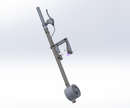
Handle Adaptor
Step 1: Handle Adapter History Tree

This is the history tree or our handle adapter. Units are all in MMKG.
Step 2:

Create a sketch in the front plane. Draw a circle, one with diameter 21.18mm.
Step 3:

Extrude the circle to 50mm.[Boss-Extrude1]
Create a reference place located at a distance 30 mm from the bottom surface of the extruded circle. [Plane 1]
Step 4:

Create a sketch at the bottom of the extruded circle, and draw a circle with diameter 32mm.
Step 5:

Create a new sketch on the plane 1, and draw a circle with diameter 22mm.
Step 6:

Use loft, selecting two sketches created in step#4 & step#5. [Loft2]
Step 7:

Create a new sketch at the plane 1, and draw a circle with diameter 22mm.
Step 8:

Extrude out to 150 mm.[Boss-Extrude2]
Step 9:

Create a reference plane ,by setting two references, face1 and the top plane, that are parallel to each reference.
Step 10:

Create a new sketch on plane 2, and draw a circle with diameter 6.25 mm, located at 25 mm from the top edge.
Extrude cut through the sketched circle. [Cut-Extrude1]
Step 11:

This is our resulting figure for the handle adapter
