Introduction: Interfacing I2C LCD With STM32 Black Pill Using STM32CubeIDE


In this tutorial, we'll use an STM32 Black Pill to program an I²C LCD on STM32CubeIDE using HAL programming.
Supplies
- STM32 Black Pill
- LCD with I2C
- Female to Female Jumpers
- STMCubeIDE
- STMCubeProgrammer
- USB C Cable
Step 1: Project Creation
- Create a new STM32 project from File > New > STM32 Project
- Select the appropriate board.
Step 2: Pinout Selection
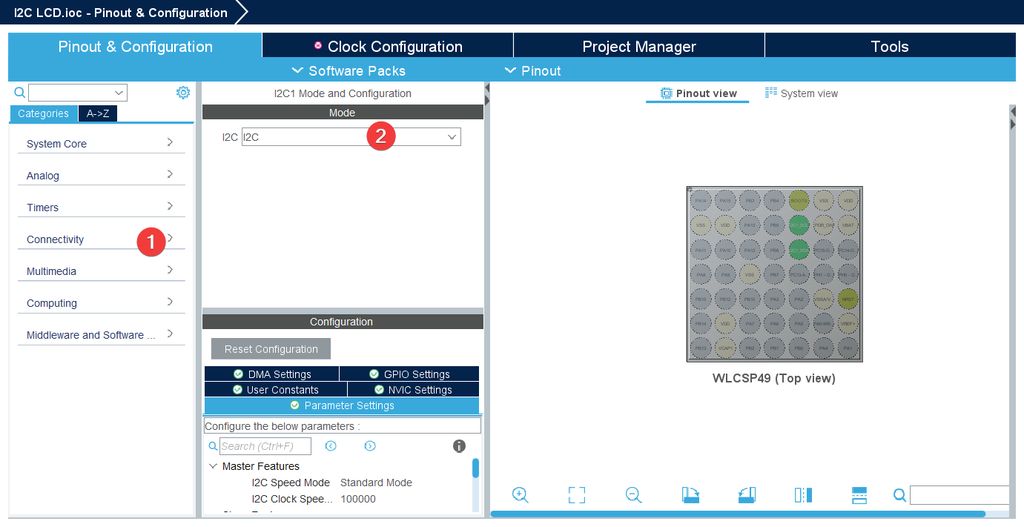
- Go to Connectivity > I2C1 and enable it. This will set SDA to pin 43 and SCL to pin 42.\
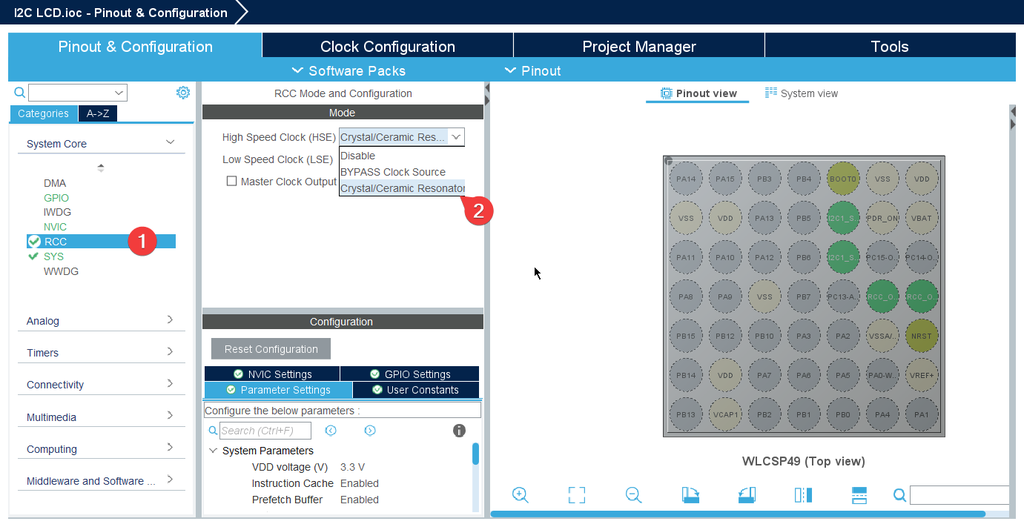
- Go to System Core > RCC > HSE > Crystal/Ceramic Resonator.
Step 3: Clock Configuration
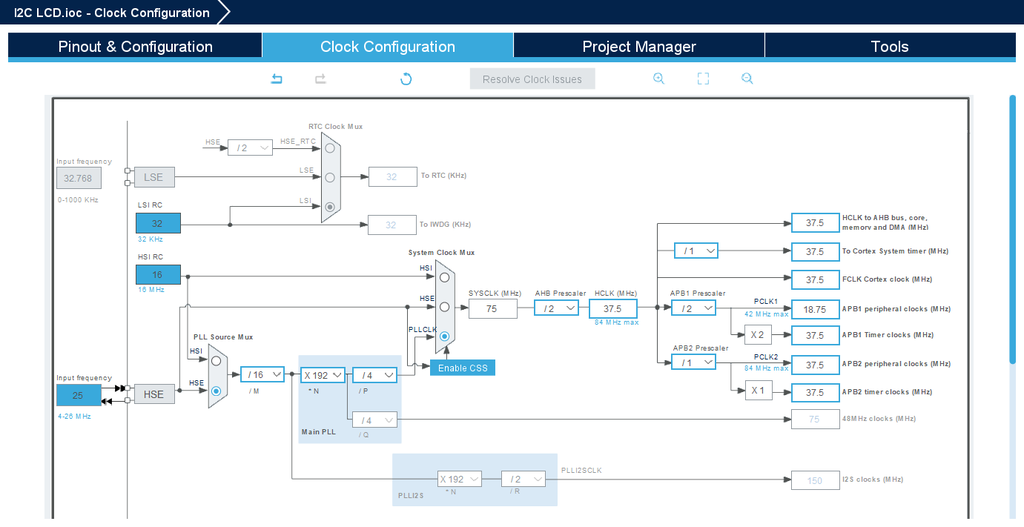
- Configure your board's clock.
- Save using Ctrl + S.